GolfGenius

Golf Genius is the easiest way to enter your scores while you're on the course. Your scores are uploaded automatically, so when you return to the clubhouse there's no need to re-enter them.
Method 1
Register using the Golf Genius app
If you already use the Golf Genius app to register for competitions, simply continue as normal.
- Register for the competition in the app.
- Enter your scores hole by hole during the round.
- Watch the live leaderboard update as scores are submitted.
- When you return to the clubhouse, your scores will already be in Golf Genius.
Method 2
Register in the clubhouse
Prefer to register on the clubhouse computer? That's absolutely fine.
- Register for the competition on the clubhouse computer.
- Open the Golf Genius app on your phone.
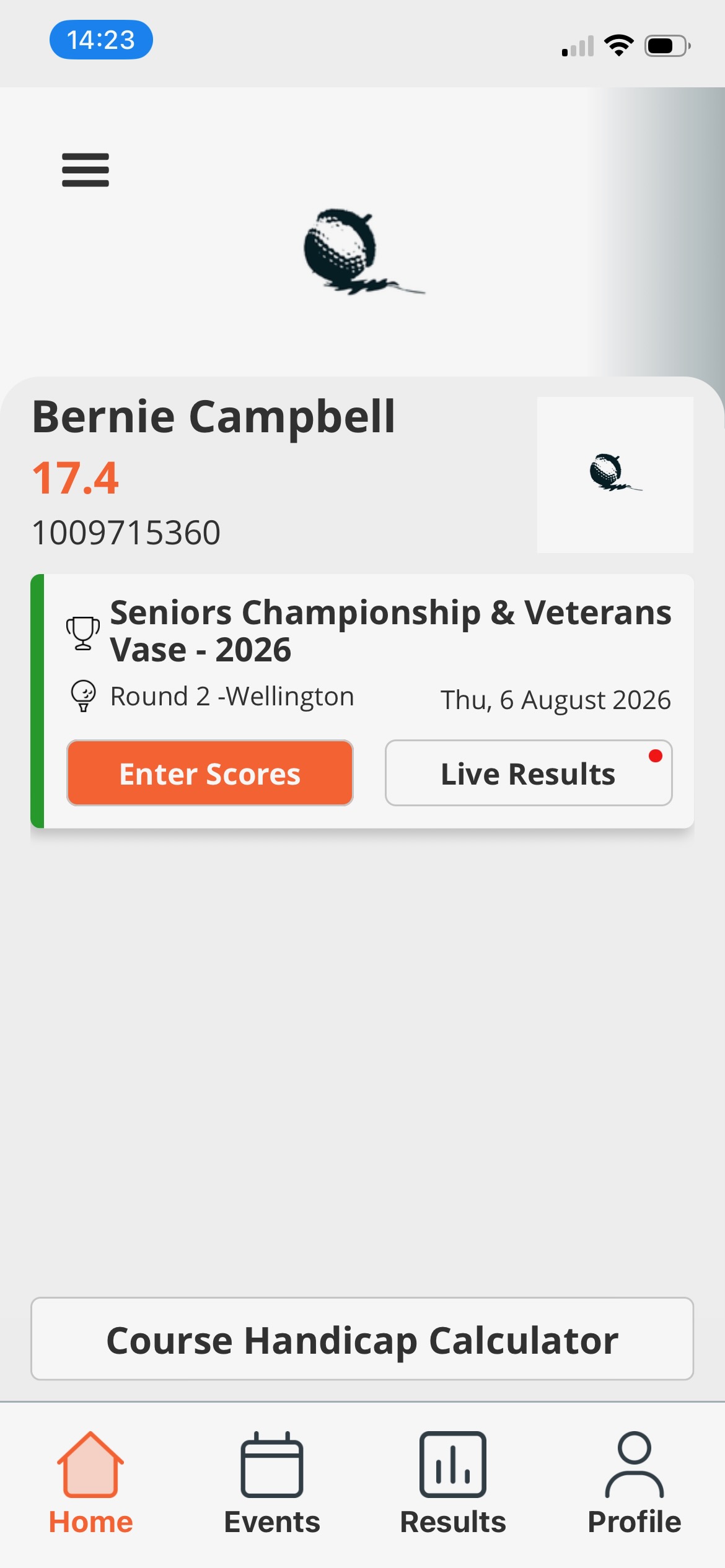
- Select today's competition from the home screen.
- Tap Enter Scores and record your scores during the round.
- View the live leaderboard while you play.
- Back in the clubhouse, simply check and confirm your scores.
Example Screen
Looking for GPS distances?
The Golf Genius app is designed primarily for competition scoring and does not provide GPS distances.
If you'd like accurate distances to the green, hazard information, club recommendations and smartwatch support, we recommend using Golfshot, which also integrates with our roll-up competitions.